
Case study
Voxnera — Real-Time Voice Translation for Any Call
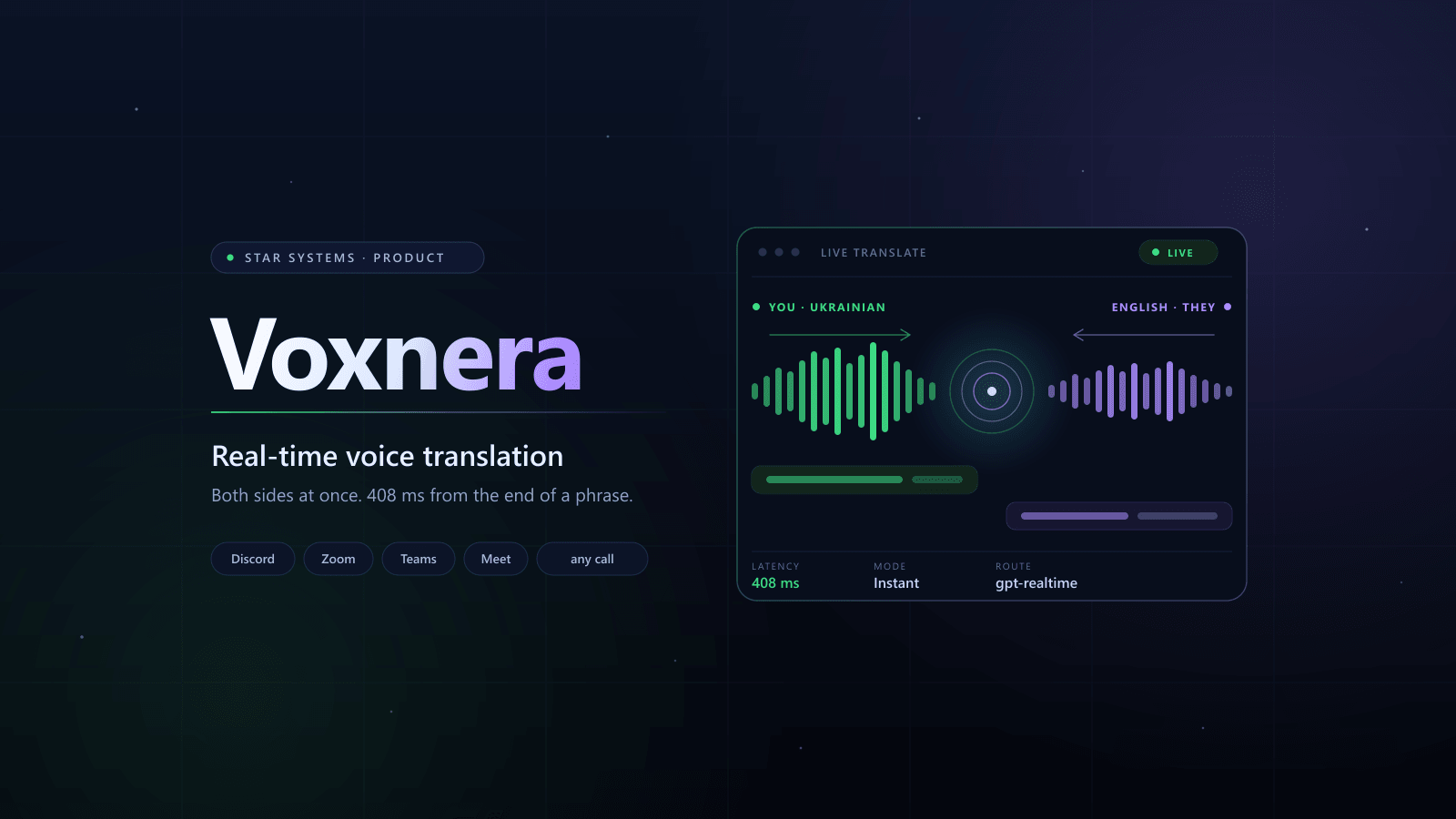
A Windows application that sits between the headphones and whatever the call is running in. You speak your language, the other person hears theirs — both directions at once, each with its own voice, and both written down as text you can search.
Overview
Project overview
Voxnera is a native Windows application that translates a live conversation in both directions at the same time. It takes the microphone and the machine’s own sound — or one chosen application’s — sends each side down its own AI route, and hands the translated speech back as an ordinary microphone, which is what Discord, Zoom and Meet know how to listen to. C++23 and Qt 6 throughout, WASAPI straight to the hardware, no JavaScript anywhere near the audio path. Keys are encrypted by Windows for that account, transcripts live in local SQLite with full-text search, and audio is not recorded until somebody turns it on.
ROLE
End-to-end product engineering: audio path (WASAPI, VAD, AEC, routing), AI routes, Qt/QML interface, local storage, installer and Microsoft Store package
TIMELINE
2026
FOCUS
- Both sides translated at once, and independently
- 408 ms from the end of a phrase to the first translated sound
- Only the voice this machine belongs to is sent
- The translation reaches other applications without a driver
- A transcript is text, not a recording of the call
Story
Problem → Solution → Outcome
PROBLEM
An interpreter is needed exactly while the conversation is happening — and everything that translates well translates afterwards. The classic recognise, translate, speak chain is built so that the recogniser emits no text at all until it decides a phrase has ended; only then can translation start, and synthesis after that. The wait is the sum of three waits, and it cannot be configured away, because it is a property of the order of the steps. Meanwhile the translated voice has to arrive at Discord or Zoom as microphone input, and Windows offers no user-mode way to create a microphone at all.
SOLUTION
Voxnera keeps both routes and takes the short one by default: a single speech-to-speech model hears, translates and speaks together, so it answers while the other person is still talking. Around it sits everything the model does not do — a voice gate that measures the room rather than assuming it, a speaker check so only the owner’s voice is sent, a speech queue that stops the translation interrupting itself, and an output written into a virtual cable that the calling application listens to as an ordinary microphone. Both directions run at once, each with its own languages and voice, and both are written into a local transcript. The long three-provider route stays available for when an independent transcript matters more than the wait.
OUTCOME
A conversation runs in two languages at once instead of turning into a walkie-talkie. The latency is visible in the window rather than promised — 408 ms against 2689 ms, measured the same way on the same machine. The transcript stays as text on that machine, the keys are encrypted by Windows, and audio is not recorded until somebody turns it on. The business gets a product that is a platform rather than a wrapper around one vendor — every provider is an adapter behind an interface, and swapping one is a setting.
Highlights
What we built
Key systems shipped end-to-end — designed for reliability, conversion, and scale.
Both sides, at the same time
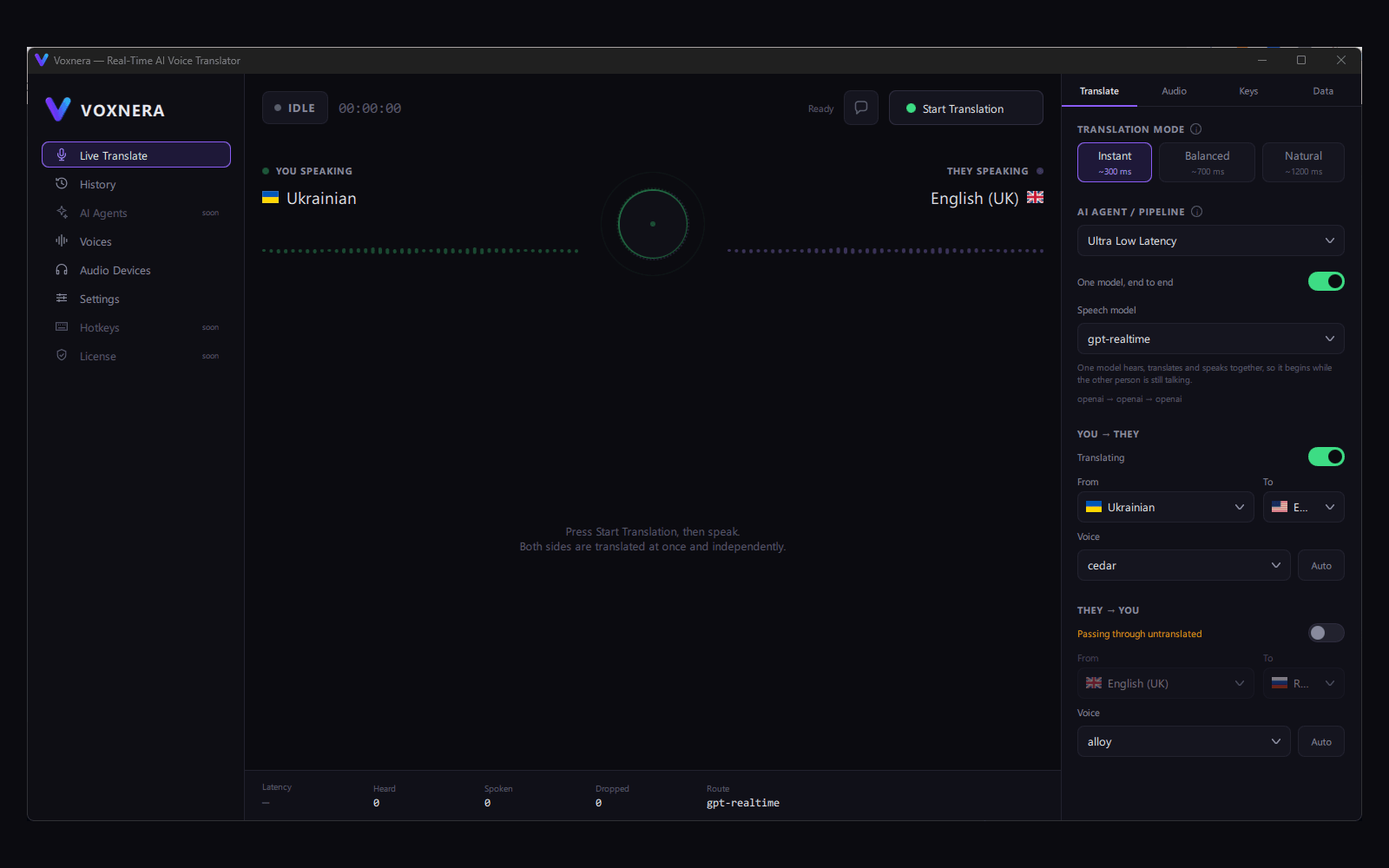
Two independent directions, each with its own languages, its own voice and its own switch — not one channel taking turns.
- Either direction can run untranslated while the other is translated
- The microphone keeps reaching them even when nothing is being translated
One model instead of three
A speech-to-speech model hears, translates and speaks together, so it begins while the other person is still talking: 408 ms against 2689 ms for the recognise-translate-speak chain.
- Both routes stay available — the long one gives an independent transcript
- Measured the same way, on the same machine, on the same translation
Only your voice is sent
Three short readings are averaged into 256 numbers — not audio, and not something that can be played back. Anyone else is cut about half a second in.
- Your own voice is never delayed — audio is sent from the first moment
- A model that fails to load counts as the user, never as a stranger
- Push-to-talk is checked before the gate and before the model
The translation reaches Discord and Zoom
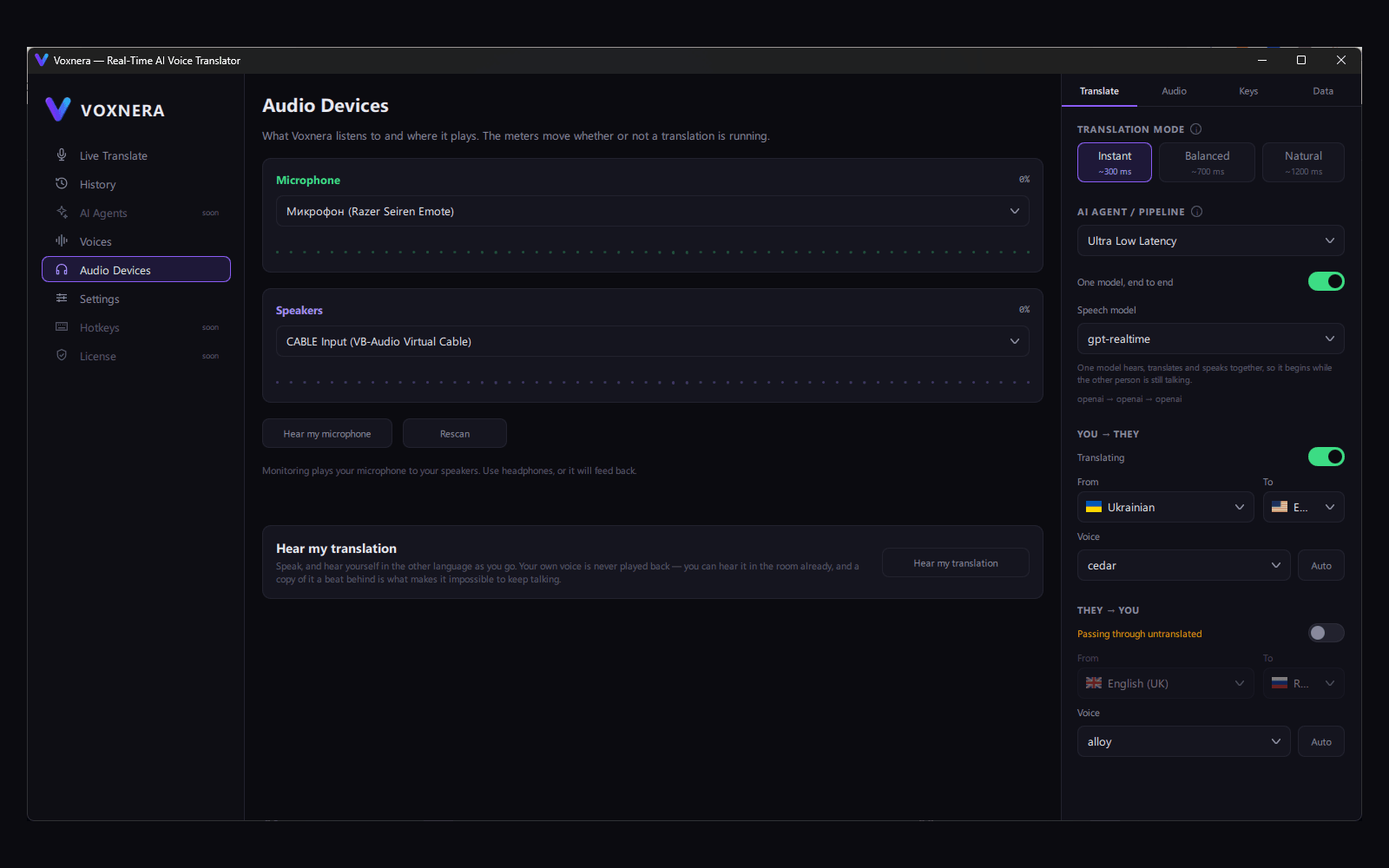
Windows has no user-mode way to create a microphone, so the route runs through a virtual cable — and the application names the exact device to select rather than asking the user to guess.
- The installer carries the cable, so the setup is one run rather than two
- The same interface behind both routes, so the driver replaces a device id — not an architecture
A transcript, not a recording
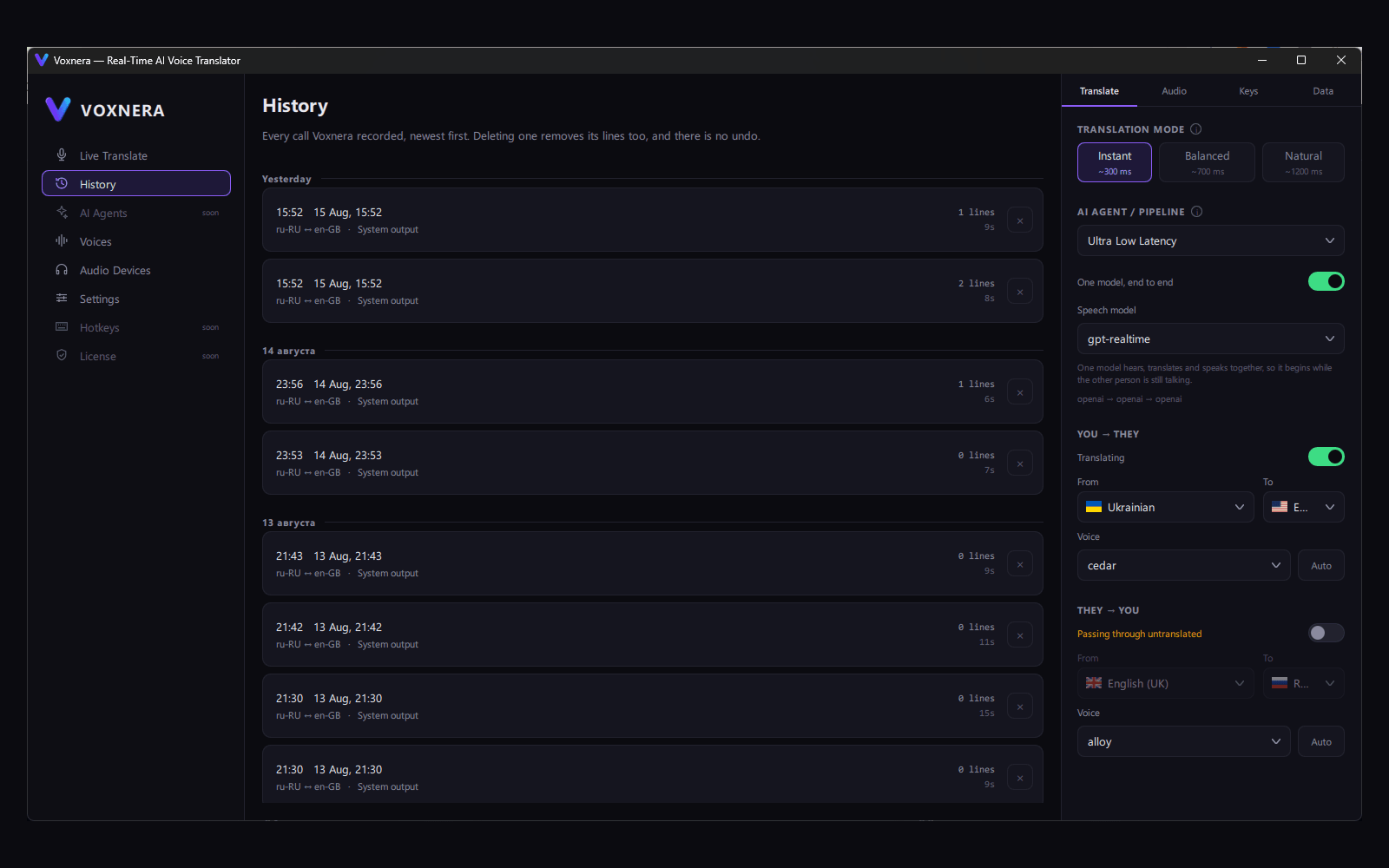
Both sides of every call are kept as text on that machine, searchable and exportable. Audio stays off until it is deliberately turned on.
- Full-text search across every call, through SQLite FTS5
- Export to TXT, Markdown, JSON, SRT and VTT
- API keys encrypted for this Windows account and never written in readable form
The window gets out of the way
Translating is something done while doing something else, and the window covers the very thing being translated. During a session, closing or minimising hands over to a small panel in the corner rather than ending the call.
- Subtitles draw over everything and let the mouse through
- Pause stops feeding the providers without dropping their sockets, so resuming is instant
- Global keys work while the window is behind whatever is being translated
Pipeline
How it works
What happens to a frame, step by step.
- 01CaptureWASAPI · per-process loopback
The microphone and the machine’s own output — or one chosen application, so the other person can be translated without taking the whole machine’s sound with them.
- 02Voice gate9 dB · 420 ms · 160 ms
Opens 9 dB above the room’s measured noise floor and closes after 420 ms of silence, keeping the 160 ms before the decision so the opening consonant is not the price of being sure.
- 03Whose voice is this256-d embedding
Speech is checked against the owner’s enrolment. Audio goes from the first moment and stops if the answer comes back no — the user’s own voice is never delayed.
- 04One model, end to endgpt-realtime
A speech-to-speech model listens, translates and speaks together, so it starts answering while the phrase is still being spoken. The transcript comes from it as well.
- 05The long route, when the parts matterSTT · MT · TTS
Three interchangeable providers in a row. Slower, but it gives an independent transcript and a separately chosen voice for each direction.
- 06Phrase stabiliser120 · 400 · 700 ms
Instant, Balanced and Natural decide how long to wait for a phrase to settle before it is spoken. Faster risks awkward phrasing; slower reads better.
- 07Speech queue—
A translation is always behind the speaker, so the next phrase does not cancel the last one — otherwise continuous speech comes out as a stream of half sentences.
- 08Out as a microphoneCABLE Input
The translated speech is written into a virtual cable that the calling application sees as an ordinary microphone. Voxnera names the exact device to select there.
Challenges
Technical challenges
The hard parts — and the solutions that made the system stable.
Results
Impact
Measured outcomes and operational wins.
408 ms from the end of a phrase to the first translated sound — 6.6× faster than the recognise-translate-speak chain measured the same way.
Both directions of a call are translated at once and independently, each with its own languages and its own voice.
468 tests pass, and every part that touches hardware has been run against real devices rather than mocked.
The translated voice reaches Discord, Zoom, Teams and Meet today, through a route whose transparency was measured — with our own driver built and signed behind the same interface.
Three interface languages, each written rather than machine-rendered, and both catalogues complete.
Availability
Where it runs
One codebase, every surface it ships on.
Windows 10 / 11 x64
Signed installer, build 19041 as the floor — that is where per-process loopback capture arrives. Everything that touches hardware has been run against real devices.
Subtitle overlay
A band across the screen above whatever is being watched, click-through confirmed by the window style rather than assumed.
Microsoft Store (MSIX)
Packed by script with the Qt runtime collected in; the manifest declares all three interface languages so the listing matches what the application does.
Voxnera virtual microphone
A WDK driver, built and signed but never loaded. Until it is, the same interface is served by a virtual cable — nothing above the sink knows which is in use.
macOS · Linux
The repository is laid out so a second platform gets its own folder, and shared code is extracted from something that works rather than designed up front.
Interface
Inside the product
Stack
Tech stack used
Tools and patterns used on this build.
Core
- C++23, CMake + MSVC
- Qt 6.8.3 LTS / QML, view models in C++
- Layered architecture — dependencies point inward
- No JavaScript in the real-time audio path
Audio
- WASAPI capture and playback
- Per-process loopback (Windows 10 19041+)
- Lock-free ring buffers, resampling
- Voice gate, echo cancellation, mel-band spectrum
AI routes
- OpenAI Realtime — speech to speech
- OpenAI STT / translation / speech synthesis
- Deepgram streaming STT over WebSocket
- Mock providers, so the pipeline runs without credits
Voice
- 256-d speaker embedding via ONNX Runtime
- Enrolment averaged over three takes
- Pitch estimation for automatic voice matching
- Push-to-talk over a low-level keyboard hook
Data & security
- SQLite + FTS5, versioned migrations
- Windows DPAPI for credentials
- Secrets redacted from the logs
- Export to TXT, MD, JSON, SRT and VTT
Delivery
- Inno Setup installer, virtual cable in the box
- MSIX package for the Microsoft Store
- WDK virtual microphone driver (built, signed)
- 468 tests on GoogleTest, audio path included
Metrics
Impact metrics
End-to-end latency
408ms from the end of a phrase
Against the provider chain
6.6× faster, measured the same way
Tests
468pass, audio path included
Next
Next case study
Keep browsing the system.
Glow — Local AI Portrait Retouching
A desktop and mobile retouching app that runs 14 neural networks entirely on the user’s own device — skin, shine, tone, teeth, eyes and backdrop — with batch export, RAW import and a Photoshop panel.