
Case study
ShakeMaster — Anti-AFK for Time Trackers
A Windows app that keeps Hubstaff, TimeDoctor and other trackers reading an active session — human cursor drift and quiet typing, never a bot's straight lines. Behind it: licensing, fiat/crypto checkout and background updates.
Overview
Project overview
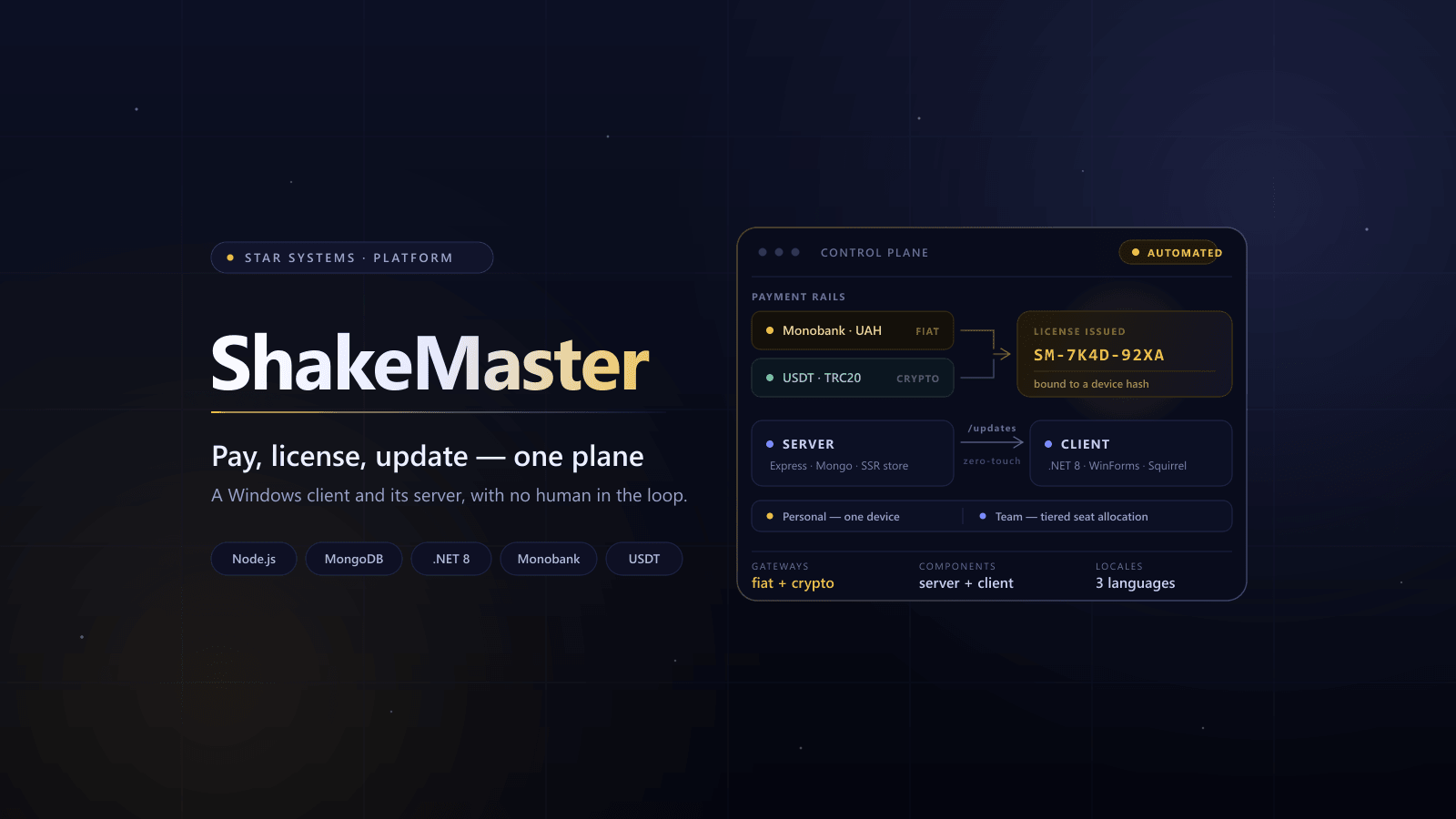
ShakeMaster keeps a time tracker's session alive while its owner steps away from the keyboard. The Windows client drifts the cursor inside a 200-pixel radius the way a resting hand does, types into its own window during idle so no chat ever receives a stray keystroke, and can drop out of screenshots and screen recording entirely. Everything else in the ecosystem exists to sell and maintain that client: a storefront, hardware-bound licensing, fiat and crypto checkout, and updates that install themselves.
ROLE
Desktop Client Engineer + Full Stack Engineer (Server)
TIMELINE
2026
FOCUS
- Human-like input synthesis
- Idle detection and intensity rules
- Privacy: stealth window, process masking
- Subscription + licensing architecture
- Hybrid payments (fiat + crypto)
- Zero-touch updates pipeline
Story
Problem → Solution → Outcome
PROBLEM
Time trackers mark a session idle the moment the keyboard and mouse go quiet, and the obvious workarounds — a script nudging the cursor on a timer — are trivially recognisable, type into whatever window is focused, and sit in plain sight of every screenshot the tracker takes.
SOLUTION
A .NET Windows client that synthesises human-shaped input — eased cursor drift in a bounded radius, keystrokes confined to its own window, activity gated behind a user-set idle threshold — and hides itself through window affinity and process masking. Alongside it, a Node/Express platform that turns the client into a product: storefront, hardware-bound licensing, fiat and crypto checkout, and a versioned update feed.
OUTCOME
A product that does its one job quietly: the tracker keeps counting, nothing lands in a work chat, nothing shows up in a screenshot, and the client keeps itself licensed and up to date without anyone touching it.
Highlights
What we built
Key systems shipped end-to-end — designed for reliability, conversion, and scale.
Input a tracker reads as a person
The whole product stands on one thing: activity that does not look generated. Straight lines and fixed intervals are exactly what gets noticed.
- Cursor drifts within a 200px radius with easing — never teleports across the screen.
- Keystrokes land in the app's own window, docked bottom-left, so chats stay clean.
- Idle threshold and intensity are user-set: activity starts only after real inactivity.
Stays out of frame
Trackers screenshot the desktop. A tool that shows up in every capture defeats its own purpose.
- Stealth window: excluded from screenshots and screen recording at the OS level.
- Process masking with presets — Telegram, Chrome, Slack, or the real name.
- Tracker radar lists installed trackers and stops running ones in a click.
- Lives in the tray with a red/green status and a live log — statistics stay on the machine.
Licensing and payments behind the client
A 50 UAH/month product cannot afford manual support: checkout, key delivery, and renewals all run without a human.
- Personal (one device) and Team (tiered seats), keys bound to a hardware hash.
- Monobank for cards, NOWPayments for USDT TRC20 — with webhook and IPN validation.
- Lifecycle: trials, renewals, grace periods, invoices — all automated.
Zero-touch updates
A tool that runs unattended for hours must not stop to ask about an update.
- Server exposes an /updates feed endpoint for versioned releases.
- Client checks updates on startup and patches in the background (Squirrel).
- Safe handoff: updates and licensing share a single control plane.
Challenges
Technical challenges
The hard parts — and the solutions that made the system stable.
Results
Impact
Measured outcomes and operational wins.
Sessions in Hubstaff, TimeDoctor and similar trackers stay active without straight-line, fixed-interval patterns.
Stealth window and process masking keep the tool out of screenshots and process lists.
Fully automated lifecycle: checkout → invoice → license → activation → renewals.
Zero-touch desktop updates driven by a versioned server feed.
Availability
Where it runs
One codebase, every surface it ships on.
Windows 10/11
The full product: tray indicator, stealth window, tracker radar, local stats.
macOS
Apple Silicon and Intel builds in development and testing.
Linux
Packages planned for Ubuntu and other distributions.
Stack
Tech stack used
Tools and patterns used on this build.
Desktop client
- .NET 8
- C#
- Windows Forms
- P/Invoke: input synthesis, window affinity, process naming
- user32.dll · dwmapi.dll · kernel32.dll
- Clowd.Squirrel (Squirrel updates)
Server runtime
- Node.js
- Express.js
Database
- MongoDB (Docker)
- JSON fallback storage
Storefront
- EJS (Server-Side Rendering)
- Vanilla CSS (Glassmorphism design system)
Payments
- Monobank Merchant (Fiat/UAH)
- NOWPayments (USDT TRC20)
- Webhooks + IPN validation
DevOps
- Docker Compose
- PM2
- GitHub Actions
Utilities
- nodemailer
- i18n
- multer
Metrics
Impact metrics
Cursor drift
200px radius, eased
Components
2client + server
Payment gateways
2fiat + crypto
Plan tiers
2Personal + Team
Locales
3languages
Next
Next case study
Keep browsing the system.
LostPass — Local-First Password Manager + Licensing
A desktop vault on Electron with encrypted local SQLite (AES‑256‑GCM) and PIN/WebAuthn, plus a licensing server for subscriptions via Monobank, email key delivery, and deep-link activation.